
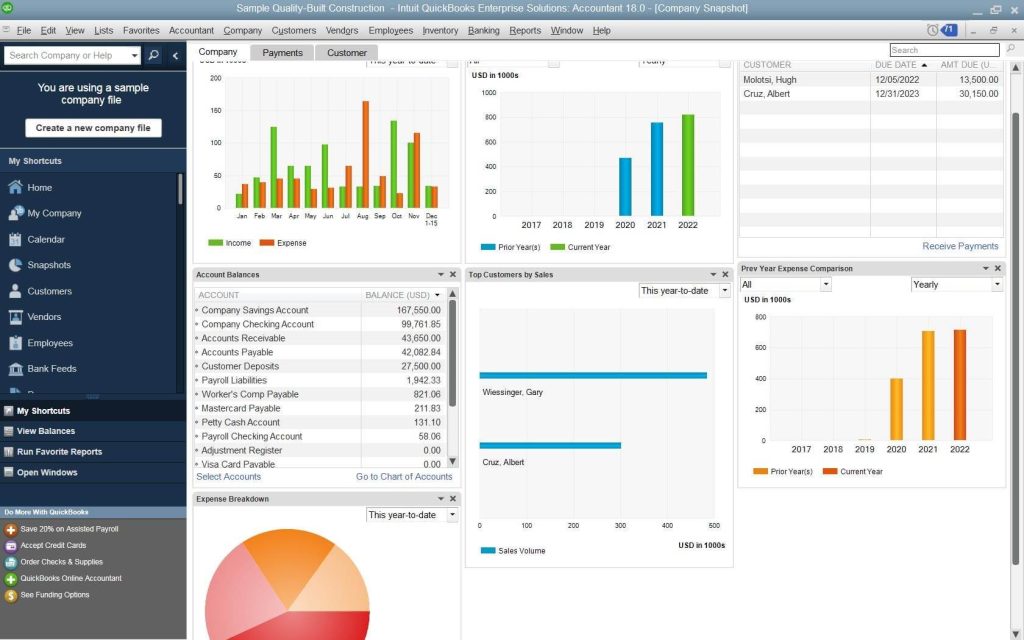
As a busy entrepreneur, you know every minute counts. Between managing clients, strategizing growth, and keeping up with daily operations, manual bookkeeping can feel like a time-sucking black hole. Enter QuickBooks automation—a game-changer for reclaiming hours in your workweek.
In this guide, we’ll explore 10 powerful QuickBooks automation hacks designed to simplify accounting tasks, reduce errors, and free you up to focus on what truly matters: scaling your business. Let’s dive in!
1. Automate Bank Feeds and Reconciliation
Problem: Manually importing transactions and reconciling accounts is tedious and error-prone.
Solution: Enable automated bank feeds in QuickBooks to sync your bank accounts, credit cards, and payment platforms in real time.
- Go to Banking > Connect Account and follow prompts to link financial institutions.
- Set rules to categorize recurring transactions (e.g., rent, utilities).
- Use the Auto-Reconcile feature to match transactions effortlessly.
Why It Matters: Automating bank feeds cuts reconciliation time by 80% and ensures your books are always up to date.
Pro Tip: Review transactions weekly to catch discrepancies early.
CTA: For more ways to monitor finances, learn how to build a real-time financial dashboard in Excel.
2. Set Up Recurring Invoices and Payments
Problem: Creating the same invoice every month wastes time and risks delays.
Solution: Use QuickBooks’ Recurring Invoice templates for subscriptions, retainers, or monthly services.
- Navigate to Sales > Recurring Transactions > New.
- Customize templates with payment terms, due dates, and auto-reminders.
- Enable Auto-Charge to bill clients’ saved credit cards automatically.
Why It Matters: Automating invoicing ensures timely payments and improves cash flow.
Pro Tip: Add late fees to recurring templates to encourage on-time payments.
3. Use Rules for Categorizing Transactions
Problem: Manually categorizing hundreds of transactions is inefficient.
Solution: Create Bank Rules to auto-sort transactions based on vendor, amount, or keywords.
- Go to Banking > Rules > New Rule.
- Set conditions (e.g., “Category = Office Supplies” for Staples purchases).
- Apply rules to existing and future transactions.
Why It Matters: Rules reduce categorization errors and save hours of data entry.
Pro Tip: Combine rules with the Batch Actions tool to edit multiple transactions at once.
4. Schedule Automatic Reports
Problem: Generating financial reports manually eats into strategic time.
Solution: Schedule key reports (P&L, balance sheets, cash flow) to auto-generate and email stakeholders.
- Navigate to Reports > Scheduled Reports > New Scheduled Report.
- Choose frequency (daily, weekly, monthly).
- Add recipients’ emails for seamless sharing.
Why It Matters: Automated reporting keeps your team informed without manual effort.
CTA: Dive deeper into financial tracking with our guide to building a real-time dashboard in Excel.
5. Implement Bill Tracking and Payment Reminders
Problem: Missing bill deadlines leads to late fees and strained vendor relationships.
Solution: Use QuickBooks’ Bill Tracker to automate payment reminders and approvals.
- Upload bills via email, scan, or direct vendor integrations.
- Set up Auto-Reminders for due dates.
- Enable Auto-Pay for recurring bills (e.g., software subscriptions).
Why It Matters: Automated bill management avoids late payments and improves creditworthiness.
CTA: Preparing for a loan? Learn 2025 small business loan requirements.
6. Streamline Payroll Processing
Problem: Manual payroll calculations risk errors and tax penalties.
Solution: Integrate QuickBooks Auto-Payroll to automate tax filings, direct deposits, and compliance.
- Set up employee profiles with salary, benefits, and tax details.
- Enable Auto-Submit for payroll taxes.
- Use Time Tracking integrations to auto-calculate hours.
Why It Matters: Automated payroll ensures accuracy and saves 5+ hours monthly.
7. Create Custom Templates for Frequent Transactions
Problem: Repetitive data entry for similar transactions is time-consuming.
Solution: Build Custom Templates for invoices, estimates, purchase orders, and journal entries.
- Save a transaction as a template under File > Save as Template.
- Pre-fill line items, rates, and terms.
- Use QuickBooks Desktop for advanced template customization.
Why It Matters: Templates standardize processes and reduce data entry by 50%.
8. Utilize QuickBooks Apps and Integrations
Problem: Juggling multiple tools creates inefficiencies.
Solution: Connect QuickBooks to 750+ apps via the Intuit App Store.
- Expense Management: Receipt scanning with Dext.
- CRM: Sync Salesforce or HubSpot for seamless invoicing.
- E-commerce: Auto-import Shopify or Amazon sales.
Why It Matters: Integrations eliminate double entry and unify workflows.
CTA: Need precise business valuation? Explore advanced valuation methods.
9. Automate Sales Tax Calculations and Filings
Problem: Manual tax calculations are complex and risky.
Solution: Activate QuickBooks Sales Tax Automation to track rates, prepare filings, and submit payments.
- Enable Avalara or TaxJar integrations for real-time rate updates.
- Schedule tax payments and generate reports with one click.
Why It Matters: Automation ensures compliance and avoids costly penalties.
CTA: Maximize deductions with our 2025 tax deductions guide.
10. Leverage Mobile Receipt Capture and Mileage Tracking
Problem: Lost receipts and manual mileage logs hurt deductions.
Solution: Use the QuickBooks Mobile App to snap receipts and track drives automatically.
- Enable GPS Mileage Tracking for real-time logs.
- Forward receipt emails to receipts@quickbooks.com for auto-upload.
Why It Matters: Mobile tools maximize deductions and organize records effortlessly.
Final Thoughts: Automate to Elevate
By implementing these QuickBooks automation hacks, you’ll transform accounting from a chore into a strategic asset. Remember, the goal isn’t just to save time—it’s to unlock insights that drive growth.
Ready to take your financial mastery further?
- How to Value Your Business for Sale
- My Journey to Business Valuation
- 2025 Small Business Loan Checklist
Automate wisely, and watch your efficiency—and business—soar!
References