
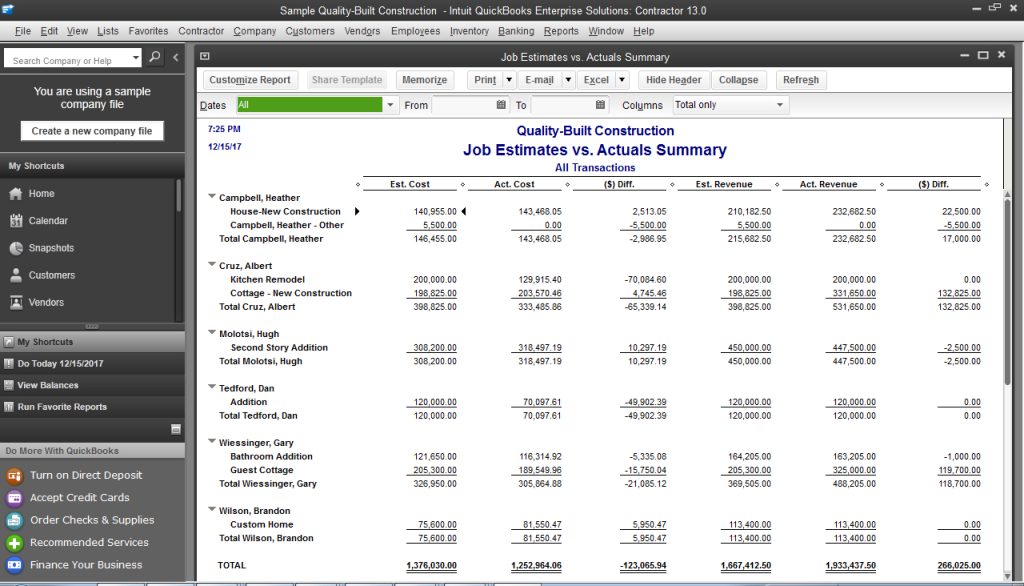
Cash flow is the lifeblood of any business. Without it, even profitable companies can collapse. For young professionals navigating the finance, trading, or entrepreneurial world, mastering cash flow analysis isn’t just a skill—it’s a survival tactic. Enter QuickBooks, the accounting software that transforms raw financial data into actionable insights. This guide dives deep into QuickBooks’ reporting tools, revealing how to analyze cash flow like a seasoned CFO.
Why Cash Flow Analysis Matters
Cash flow measures the money moving in and out of your business. Unlike profit, which is a theoretical number, cash flow reflects real liquidity—the cash you have to pay bills, invest, or grow. A staggering 82% of small businesses fail due to poor cash flow management1. QuickBooks bridges this gap by automating cash flow tracking and forecasting, ensuring you’re never caught off guard.
QuickBooks Tools for Cash Flow Mastery
1. Cash Flow Statement: Your Financial Snapshot
The cash flow statement is one of the “big three” financial reports (alongside the balance sheet and income statement). It breaks down cash movements into three categories:
- Operating Activities: Day-to-day revenue and expenses.
- Investing Activities: Purchases/sales of assets (e.g., equipment).
- Financing Activities: Loans, equity, or dividends.
How to Generate It in QuickBooks:
- Navigate to Reports > Business Overview > Statement of Cash Flows.
- Customize the date range to analyze trends over weeks, months, or years.
QuickBooks automatically syncs with bank accounts, credit cards, and payment platforms like PayPal, ensuring real-time accuracy.
2. Cash Flow Planner: Forecasting Made Simple
QuickBooks’ Cash Flow Planner is a game-changer for predicting future liquidity. It uses historical data and manual inputs to project cash flow 30–90 days ahead.
Key Features:
- Scenario Planning: Test “what-if” situations (e.g., a delayed invoice or unexpected expense) without altering actual records.
- Recurring Events: Automate repeating income/expenses (e.g., rent or subscriptions).
- Threshold Alerts: Set minimum cash balance warnings to avoid overdrafts.
Step-by-Step Setup:
- Connect bank accounts to QuickBooks.
- Go to Dashboards > Planner and click Add Item for manual adjustments.
- Export forecasts as CSV, PDF, or Excel for stakeholder reviews.
3. Advanced Reporting with QuickBooks Online Advanced
For growing businesses, QuickBooks Online Advanced offers:
- Customizable Dashboards: Track KPIs like accounts receivable aging or inventory turnover.
- Batch Invoicing: Process up to 1,000 invoices at once, speeding up cash inflows.
- Excel Sync: Merge QuickBooks data with spreadsheets for pivot tables or custom formulas.
Pro Tips for Optimizing Cash Flow
1. Automate Receivables
Use QuickBooks’ Auto-Reminders for overdue invoices. The platform’s Accounts Receivable Aging Summary highlights delinquent clients, so you can prioritize collections.
2. Trim Unnecessary Expenses
The Cash Flow Overview tool identifies recurring expenses (e.g., unused software subscriptions). Cancel them to free up cash.
3. Leverage Integrations
Boost QuickBooks’ capabilities with third-party tools:
- Reach Reporting: Create visually stunning, real-time dashboards.
- Datarails: Sync QuickBooks with Excel for advanced forecasting.
- Zapier: Automate workflows (e.g., trigger invoice reminders when a payment is late).
Common Cash Flow Mistakes to Avoid
- Ignoring Seasonal Trends: A retail business might thrive in Q4 but struggle in Q1. Use QuickBooks’ Comparative Reports to compare YoY performance.
- Overlooking Small Expenses: A 50/monthsubscriptioncosts50/monthsubscriptioncosts600/year—enough to derail a startup. Track every transaction with QuickBooks’ Expense Categorization.
- Failing to Forecast: Only 22% of small businesses forecast cash flow regularly. QuickBooks’ automation makes this effortless.
Recommended Books & Resources
Books:
- “Profit First” by Mike Michalowicz – A system to prioritize cash flow over profit.
- “Financial Intelligence for Entrepreneurs” by Karen Berman – Demystifies financial statements.
- “Cash Flow Strategies” by Michalowicz & Wickman – Tactics for liquidity management.
QuickBooks Guides:
Conclusion
Mastering cash flow analysis in QuickBooks isn’t just about avoiding disaster—it’s about seizing opportunities. Whether you’re a freelancer, day trader, or startup founder, these tools empower you to make data-driven decisions with confidence. By automating tedious tasks and leveraging integrations, you’ll spend less time crunching numbers and more time growing your empire.
Ready to level up? Dive into QuickBooks’ reporting features today and transform your financial future.
References
- QuickBooks Cash Flow Statement Guide
- QuickBooks Small Business Solutions
- QuickBooks Financial Reporting
- Method: QuickBooks Reporting Tools
- QuickBooks Cash Flow Management
- Cash Flow Planner Tutorial
- QuickBooks Accounting Software
- Forecasting Cash Flow in QuickBooks
- Reach Reporting Integration
- Top QuickBooks Integrations
Further Reading: Explore QuickBooks’ Live Expert Assisted services for personalized coaching.