
Introduction: Why Analyzing Spending Habits Matters
Young adults today juggle student loans, side hustles, and investing goals—yet many struggle to track where their money goes. A 2023 Bankrate survey found that 58% of millennials live paycheck to paycheck. Tools like Power BI (a free Microsoft data visualization platform) can transform raw credit card data into actionable insights, helping you budget effectively, spot leaks, and align spending with long-term goals like homeownership or early retirement.
Why Power BI Beats Basic Budgeting Apps
While apps like Mint automate tracking, Power BI offers customization, depth, and scalability. Create dynamic dashboards that:
- Compare spending across months.
- Highlight subscriptions you forgot to cancel.
- Predict future cash flow.
- Sync data from multiple sources (e.g., credit cards, bank accounts, Venmo).
Pro Tip: Pair Power BI with Excel for advanced calculations like ROI on investments or debt payoff timelines.
Step 1: Export Your Credit Card Data
Most issuers (Chase, Amex, Citi) let you download transactions as CSV files:
- Log into your credit card account.
- Navigate to “Statements & Transactions.”
- Select date range (start with 6–12 months).
- Export as CSV.
Security Note: Store files in a password-protected folder. Avoid cloud storage unless encrypted.
Step 2: Clean and Categorize Transactions
Open your CSV in Excel. Key steps:
- Remove duplicates: Use
Remove Duplicatesunder the Data tab. - Standardize payees: Replace “UBER *EATS” and “UBER TECHNOLOGIES” with “Uber.”
- Assign categories: Create columns like
Category(e.g., Dining, Groceries) andNecessity(Essential/Discretionary).
Example:
| Date | Description | Amount | Category |
|---|---|---|---|
| 2024-03-15 | WHOLE FOODS MARKET | $75.50 | Groceries |
| 2024-03-16 | NETFLIX.COM | $15.99 | Entertainment |
Step 3: Connect Data to Power BI
- Open Power BI Desktop.
- Click Get Data > Text/CSV and upload your file.
- Use Power Query Editor to:
- Split columns (e.g., separate dates into months/weeks).
- Create calculated columns (e.g.,
Monthly Total = SUM([Amount])).
Pro Tip: Use DAX formulas for dynamic metrics:
Avg Daily Spend = AVERAGE(Transactions[Amount])
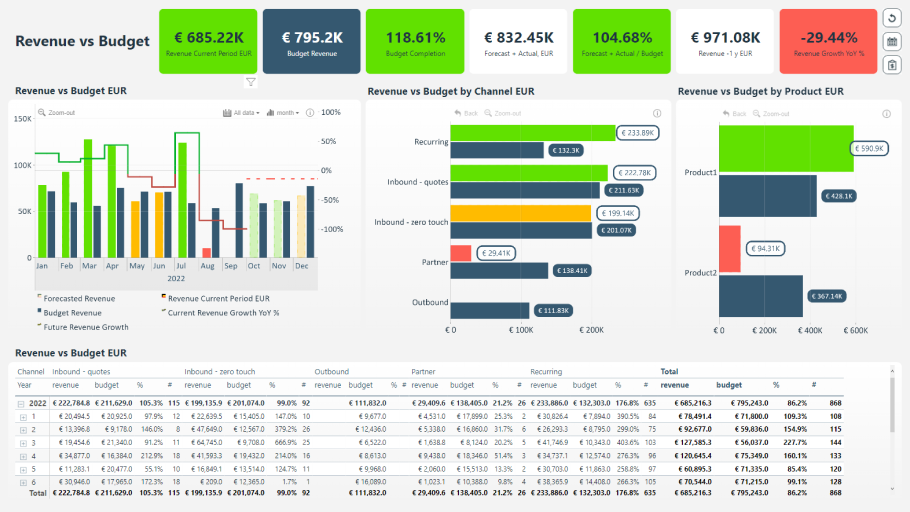
Step 4: Build Interactive Dashboards
Visual 1: Monthly Spending Trends
- Line chart: Track total spending month-over-month.
- Drill-down: Break down trends by category (e.g., why January spiked).
Visual 2: Category Breakdown
- Pie chart: See what percentage goes to dining vs. utilities.
- Filter: Compare discretionary spending between holidays vs. regular months.
Visual 3: Cash Flow Forecast
- Use Power BI’s AI Insights to predict next month’s spending based on historical data.
Advanced Tactics for Finance Enthusiasts
- Anomaly Detection: Flag unusual transactions (e.g., double charges).
- Year-over-Year Analysis: Compare 2023 vs. 2024 holiday spending.
- Debt Payoff Tracker: Model how extra payments reduce interest over time.
Case Study: Sarah, 28, used Power BI to identify $200/month in unused subscriptions. She reallocated that to her Robinhood ETF portfolio, growing her net worth by 12% in a year.
Actionable Insights to Transform Your Finances
- Negotiate Bills: If you’re spending $120/month on internet, call providers for discounts.
- Automate Savings: Set up auto-transfers to high-yield accounts like Ally Bank.
- Set SMART Goals: “Save $5,000 in 6 months by cutting dining out by 30%.”
Recommended Books & Resources
- “I Will Teach You to Be Rich” by Ramit Sethi – A no-BS guide to automating finances. Amazon
- “Your Money or Your Life” by Vicki Robin – Align spending with personal values.
- “The Psychology of Money” by Morgan Housel – Master the mindset of wealth.
YouTube Channels:
- Graham Stephan (Investing Tips)
- Minority Mindset (Entrepreneurship)
Tools:
Conclusion: Knowledge is Financial Power
By harnessing Power BI, you’re not just tracking dollars—you’re crafting a roadmap to financial freedom. Start small, iterate often, and watch your money grow.
Citations:
- Bankrate, “2023 Financial Security Survey.”
- Microsoft, “Power BI Documentation.”
- Investopedia, “How to Create a Personal Budget.”
This guide merges technical how-to with strategic finance tips, positioning readers to optimize spending, invest wisely, and reclaim control of their financial futures.