
Introduction
In the fast-paced world of real estate investment, data is the key to unlocking profitable opportunities. For young professionals in the business, financial, and trading industries, mastering data analysis can set you apart in a competitive market. Enter Microsoft Power BI, a powerful business intelligence tool that transforms raw data into actionable insights. This article dives deep into how Power BI can be leveraged to analyze property Return on Investment (ROI) in 2025, offering a comprehensive guide to enhance your investment strategies. From understanding key metrics to leveraging AI-driven analytics, we’ll explore how Power BI empowers investors to make smarter decisions in an evolving real estate landscape.
Understanding ROI in Real Estate
What is ROI?
Return on Investment (ROI) is a fundamental metric for real estate investors, measuring the profitability of a property relative to its cost. It’s calculated using the formula:
ROI=(Net ProfitTotal Investment)×100% \text{ROI} = \left( \frac{\text{Net Profit}}{\text{Total Investment}} \right) \times 100\% ROI=(Total InvestmentNet Profit)×100%
- Net Profit: Total income (e.g., rental income, sale proceeds) minus all expenses (e.g., maintenance, taxes, insurance).
- Total Investment: Purchase price, renovation costs, and other upfront expenses.
For example, if you invest $100,000 in a property and generate $120,000 in profit after expenses, the ROI is:
ROI=(120,000−100,000100,000)×100=20% \text{ROI} = \left( \frac{120,000 – 100,000}{100,000} \right) \times 100 = 20\% ROI=(100,000120,000−100,000)×100=20%
Key Metrics for ROI Analysis
To effectively analyze ROI, investors track several key performance indicators (KPIs):
| Metric | Description |
|---|---|
| Capitalization Rate (Cap Rate) | Ratio of net operating income (NOI) to property value, indicating return potential. |
| Cash-on-Cash Return | Annual pre-tax cash flow divided by total cash invested, measuring cash efficiency. |
| Internal Rate of Return (IRR) | Discount rate making net present value of cash flows zero, assessing long-term profitability. |
| Net Operating Income (NOI) | Income after operating expenses but before taxes and interest, reflecting operational efficiency. |
| Debt Service Coverage Ratio (DSCR) | Ratio of NOI to debt service, indicating ability to cover loan payments. |
| Vacancy Rates | Percentage of time a property is unoccupied, impacting income potential. |
| Rental Growth Rates | Annual increase in rental income, reflecting market demand and pricing power. |
These metrics provide a holistic view of a property’s financial performance, and Power BI’s ability to aggregate and visualize them makes it an invaluable tool for investors.
Setting Up Power BI for Real Estate Analysis
Data Collection
To harness Power BI’s capabilities, start by gathering data from various sources:
- Property Management Software: Tools like Yardi or AppFolio provide data on rental income, lease terms, and maintenance costs.
- Financial Records: Spreadsheets or accounting software like QuickBooks track expenses and investment costs.
- Market Reports: Sources like CBRE offer insights into market trends and economic indicators.
- Public Databases: Government or real estate websites provide data on property values, demographics, and zoning regulations.
Data Cleaning and Transformation
Raw data often contains inconsistencies or missing values. Power BI’s Power Query tool allows you to:
- Remove duplicates and correct errors.
- Standardize formats (e.g., dates, currency).
- Merge datasets from multiple sources.
For instance, you might combine rental income data from a property management system with market trend data from a public database to create a comprehensive dataset.
Data Modeling
Once cleaned, organize your data into a relational model:
- Tables: Create tables for properties, tenants, financial transactions, and market data.
- Relationships: Link tables using common fields, such as property IDs, to enable integrated analysis.
- Measures: Define calculations like ROI, cap rate, or NOI using Power BI’s Data Analysis Expressions (DAX) language.
Designing Dashboards
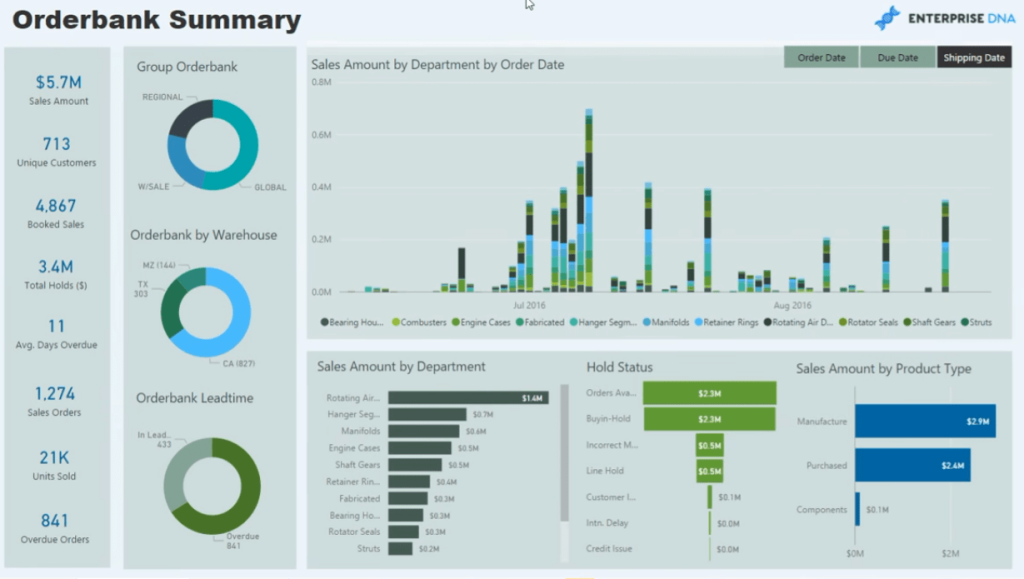
Power BI’s strength lies in its interactive dashboards. A well-designed dashboard for real estate ROI analysis might include:
- Map Visualization: Displays property locations with color-coded ROIs.
- Time Series Charts: Tracks rental income, expenses, or NOI over time.
- KPI Cards: Shows key metrics like average ROI, cap rate, or vacancy rate.
- Tables: Lists properties with detailed metrics, sortable by ROI or other criteria.
- Filters: Allows users to drill down by property type, location, or time period.
For example, a dashboard could highlight properties with ROIs above 10% in high-growth markets, helping investors prioritize opportunities.
Leveraging Power BI’s AI Capabilities in 2025
In 2025, Power BI’s integration with artificial intelligence (AI) and machine learning (ML) takes ROI analysis to the next level. According to Clariontech, businesses using AI-driven analytics outperform competitors by 30% on key financial metrics. Here’s how Power BI’s AI features can benefit real estate investors:
- Automated Machine Learning (AutoML): Creates predictive models to forecast property values or rental demand based on historical data and external factors like economic indicators.
- Anomaly Detection: Identifies unusual patterns, such as unexpected drops in rental income or spikes in maintenance costs, reducing financial risks.
- Predictive Forecasting: Uses trends and external data (e.g., interest rates, demographic shifts) to project future ROI or market conditions.
- Natural Language Querying: Allows users to ask questions like “What is the average ROI for properties in Miami?” and receive instant visualizations.
- Sentiment Analysis: Analyzes social media or review data to gauge market sentiment, informing investment decisions.
For instance, an investor could use AutoML to predict which neighborhoods will see the highest rental growth in 2025, optimizing their portfolio for maximum returns.
Case Studies: Power BI in Action
Real Estate Group Transformation
A leading real estate group utilized Power BI to streamline financial analysis, as noted by Datatobiz. They developed visualizations comparing historical data and market trends to highlight growth potential. Dashboards showcased ROI, occupancy rates, and rental yield, reducing financial analysis time by 30% and boosting lead conversion rates by 15%.
Brokerage Dashboard
A Power BI dashboard for real estate brokerages, described by Ntribs, enabled comprehensive business management. It included:
- Company Performance: Visualized deal counts and sizes across the brokerage.
- Agent Performance: Tracked individual agent metrics, filterable by month or agent.
- Cash Flow Forecasting: Projected future cash flows based on anticipated closing dates.
- Expense Tracking: Detailed expenses per deal, aiding cost management.
This dashboard empowered brokers to make data-driven decisions, improving operational efficiency.
Portfolio Optimization
Shreeji Data Analytics highlights a Power BI dashboard focused on portfolio performance. It tracked quarterly revenue trends, average ROI, rental yield, and vacancy rates, enabling investors to identify high-performing properties and optimize underperforming ones. Real-time insights facilitated proactive lease management, avoiding revenue gaps.
Real Estate Market Trends in 2025
The real estate market in 2025 is poised for recovery, but challenges remain. Key trends include:
- Economic Growth: CBRE predicts moderate economic growth driven by consumer spending and easing financial conditions, supporting real estate investment.
- Lower Interest Rates: PwC notes that Federal Reserve rate cuts will boost transaction activity, improving market liquidity.
- Affordability Challenges: Bankrate suggests that high mortgage rates and low inventory will keep homebuying sluggish, emphasizing the need for strategic investments.
- Sustainability and Technology: Forbes highlights demand for eco-friendly properties and AI-driven analytics, aligning with Power BI’s capabilities.
- Sector-Specific Opportunities: MSCI points to strong investor interest in living sectors, industrial assets, and data centers, driven by socioeconomic and technological shifts.
Power BI can help investors analyze these trends by visualizing market data, forecasting property values, and identifying high-return sectors like data centers or sustainable properties.
Integrating IoT and Smart Building Data
In 2025, the rise of smart buildings equipped with Internet of Things (IoT) devices offers new data sources for Power BI. Sensors can provide real-time data on:
- Energy Usage: Optimize operational costs by identifying inefficiencies.
- Property Conditions: Monitor maintenance needs to prevent costly repairs.
- Tenant Behavior: Analyze occupancy patterns to adjust rental strategies.
By integrating IoT data into Power BI, investors can enhance ROI analysis with granular insights, ensuring properties operate at peak efficiency.
Practical Steps to Get Started with Power BI
For young professionals new to Power BI, here’s a step-by-step guide to begin analyzing real estate ROI:
- Learn Power BI Basics: Take online courses or read Power BI for Dummies to understand the interface and features.
- Gather Data: Collect data from property management tools, financial records, and market reports.
- Build a Simple Dashboard: Start with a basic dashboard tracking ROI and cap rate for a single property.
- Experiment with AI Features: Use Power BI’s AI tools to create predictive models or detect anomalies.
- Iterate and Expand: Add more properties and metrics to your dashboard, incorporating market trends and IoT data.
Recommended Books and Resources
To deepen your knowledge of real estate investment and Power BI, consider these resources:
- The Book on Rental Property Investing by Brandon Turner: A comprehensive guide to building wealth through real estate, covering ROI strategies and portfolio management.
- Data Science for Business by Foster Provost and Tom Fawcett: Offers a foundation in data analysis techniques applicable to real estate investment.
- Power BI for Dummies by Jack Hyman: A beginner-friendly introduction to Power BI’s features and functionalities.
Additional resources include:
- Microsoft Power BI Community: Forums and tutorials for Power BI users.
- BiggerPockets: A platform for real estate investors with articles, podcasts, and tools.
Conclusion
As the real estate market evolves in 2025, Power BI stands out as a game-changer for investors seeking to maximize property ROI. Its ability to aggregate data, visualize key metrics, and leverage AI-driven insights empowers young professionals in finance and trading to make data-driven decisions. By mastering Power BI, you can navigate market challenges, capitalize on emerging trends, and build a profitable real estate portfolio. Start exploring Power BI today and unlock the potential of your investments in the dynamic world of real estate.Show in sidebar
Key Citations
- Unveiling the Real Estate Market with the Power of BI | Bold BI
- Real Estate Analysis Using PowerBi | by Grace Musungu | Medium
- Discover How Power BI & AI Together Can Predict Business Outcomes in 2025
- Revolutionizing Real Estate with Power BI Dashboards | Shreeji Data Analytics
- U.S. Real Estate Market Outlook 2025 | CBRE
- Emerging Trends in Real Estate 2025 | PwC
- Housing Market Predictions For 2025 | Bankrate
- Real Estate in Focus: 2025 Trends to Watch | MSCI
- 19 Real Estate Investment Trends To Watch In 2025 | Forbes
- End-to-end Power BI Solution for a Real Estate Group | Datatobiz
- Power BI Real Estate Broker Dashboard | Ntribs